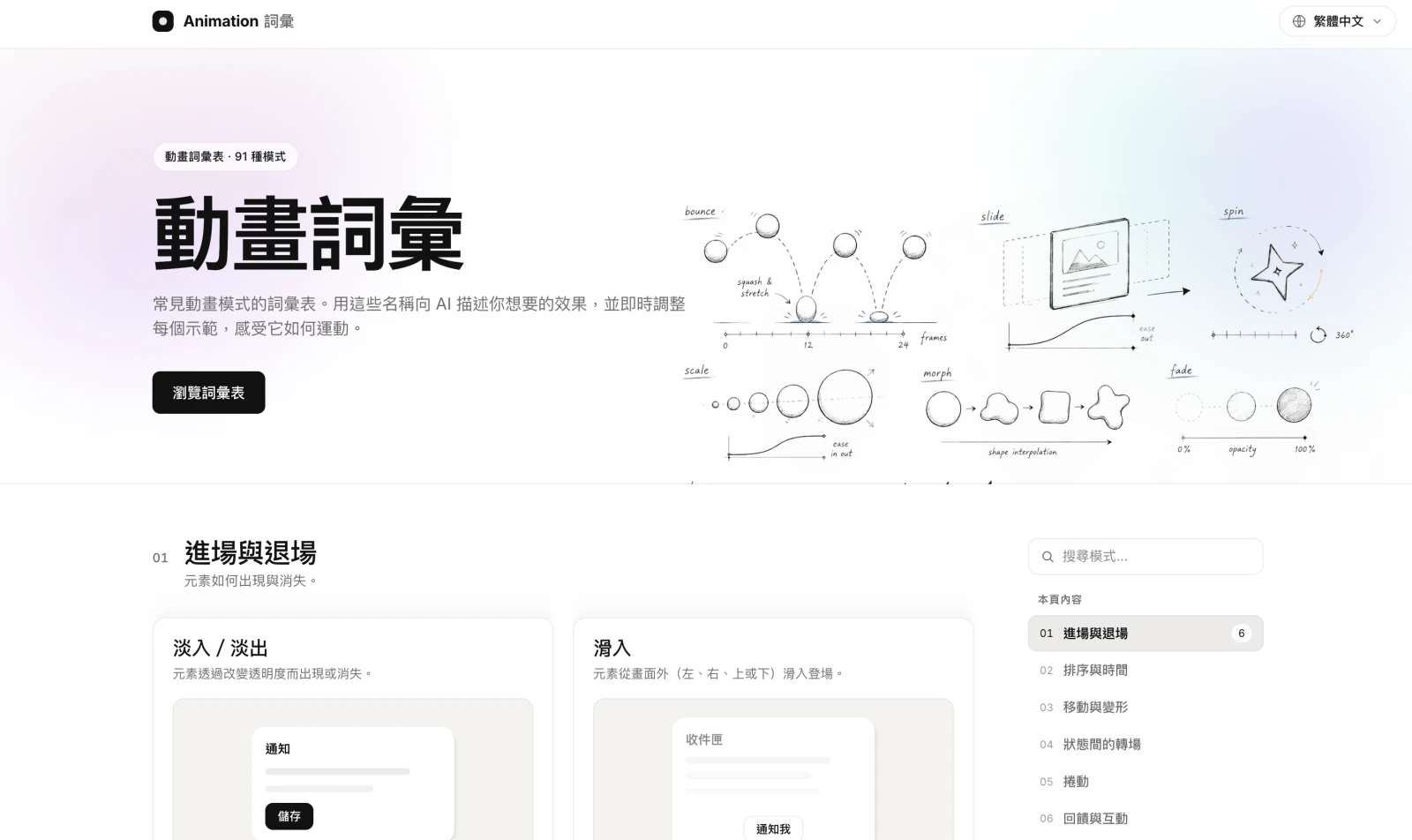
Animation Vocabulary: turning 91 motion patterns into a shared, playable language
"I want that… bounce-once-then-settle feeling." Everyone who builds products has tried to describe an animation with a pile of adjectives, only to be met with a blank stare. Motion is hard to put into words — ten people picture ten different curves for the same word "bounce".
Animation Vocabulary is an interactive glossary of motion: it organises 91 common animation patterns into 12 categories, each paired with a demo you can play with on the spot. You don’t just read a definition — you drag the parameters, watch how it moves, then open up the code behind it. The goal is simple: give you, your designer and your engineer one shared set of names for describing motion, sparing everyone the back-and-forth guesswork.
Why does motion need a vocabulary?
In real product work, "animation" is often the hardest thing to communicate:
- Adjectives are unreliable: "faster", "smoother", "bouncier" mean different things to everyone — ten rounds of edits and it still misses.
- There’s a language gap between design and engineering: designers talk in feelings, engineers need implementable parameters — easing curves, timing, distance.
- Revisions are expensive: ask for it "a bit smoother, a bit bouncier" and your designer might burn three or four rounds still missing the mark — but point at a demo and say "that one: 0.08s stagger, ease-out, 0.5s" and you nail it first time.
The idea: every word is playable
At its core, Animation Vocabulary is not a dictionary but a hands-on laboratory. Every pattern gives you more than a definition — it lets you feel it and tune it in the moment.
Three views: in context, abstract, and code
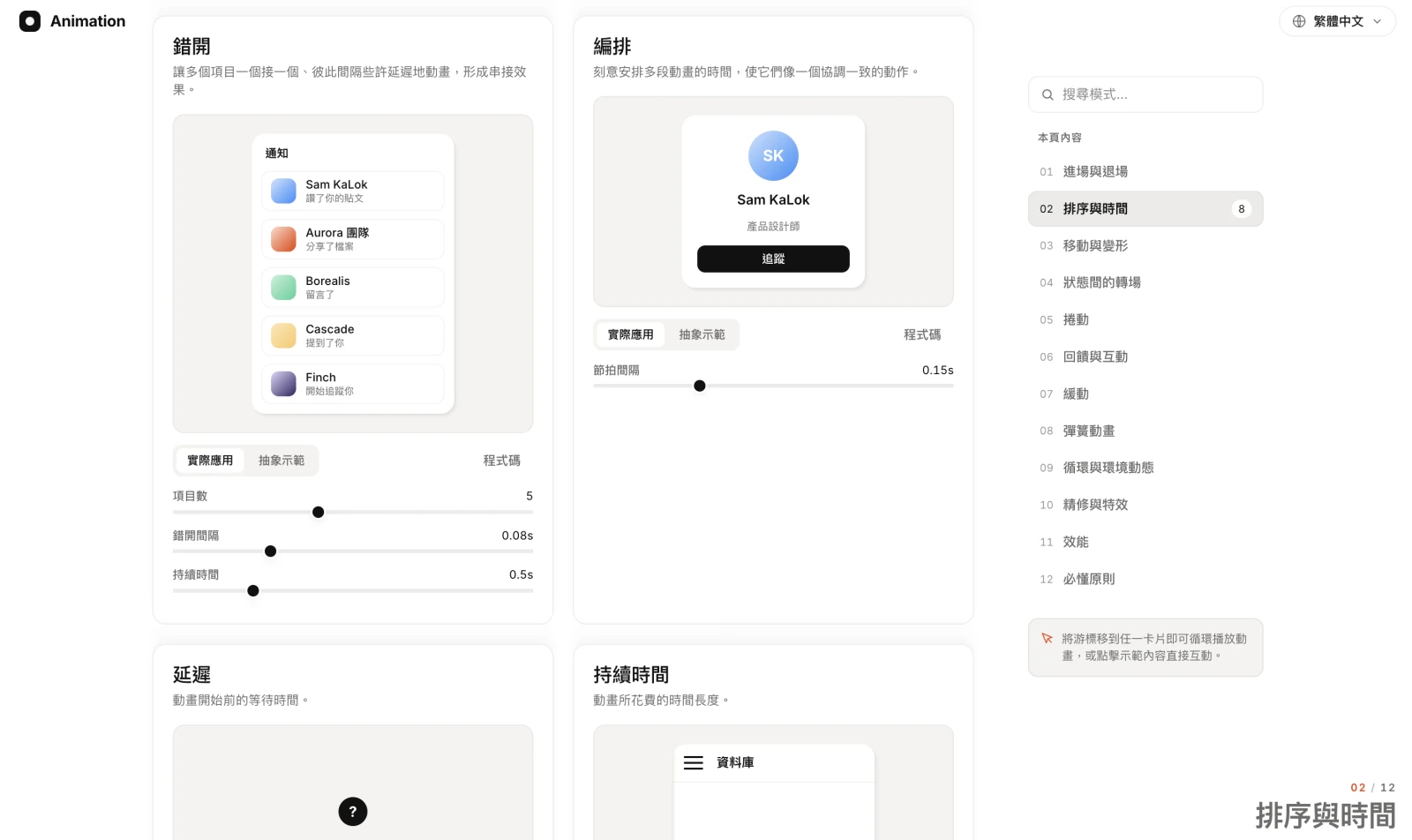
Every card offers three switchable views, carrying you from "feeling" all the way to "implementation": "In context" shows the effect inside a real UI scene (a notification, a list, a login form); "Abstract" strips motion down to its purest geometric movement so you can see the motion itself; "Code" lays the copy-paste implementation right out. Hover any card to loop the animation, and click into the demo to interact directly.
Take Timing: you can adjust the "item count", "stagger interval" and "duration" sliders live and watch a column of notifications go from a jumble to a flowing, sequenced entrance — a 0.08s stagger is often the difference between "premium" and "cheap", and here you feel it with your own hands.
12 categories, 91 patterns
Animation Vocabulary breaks motion into a full spectrum, from "how elements appear" to "how to stay smooth":
- 01 Enter & exit — how elements appear and disappear (fade, slide).
- 02 Timing & sequence — stagger, orchestration, delay, duration.
- 03 Move & transform — translate, scale, rotate, deform.
- 04 State transitions — smooth transitions between states.
- 05 Scroll — motion triggered or driven by scrolling.
- 06 Feedback & interaction — drag to reorder, swipe to dismiss, rubber-band, shake to alert.
- 07 Easing — ease-in, ease-in-out, linear, cubic Bézier.
- 08 Spring — natural motion driven by physical springs.
- 09 Loops & ambient — continuous, ambient background motion.
- 10 Polish & effects — the finishing details and special effects.
- 11 Performance — the keys to keeping motion smooth and jank-free.
- 12 Principles — the core principles running through every demo.
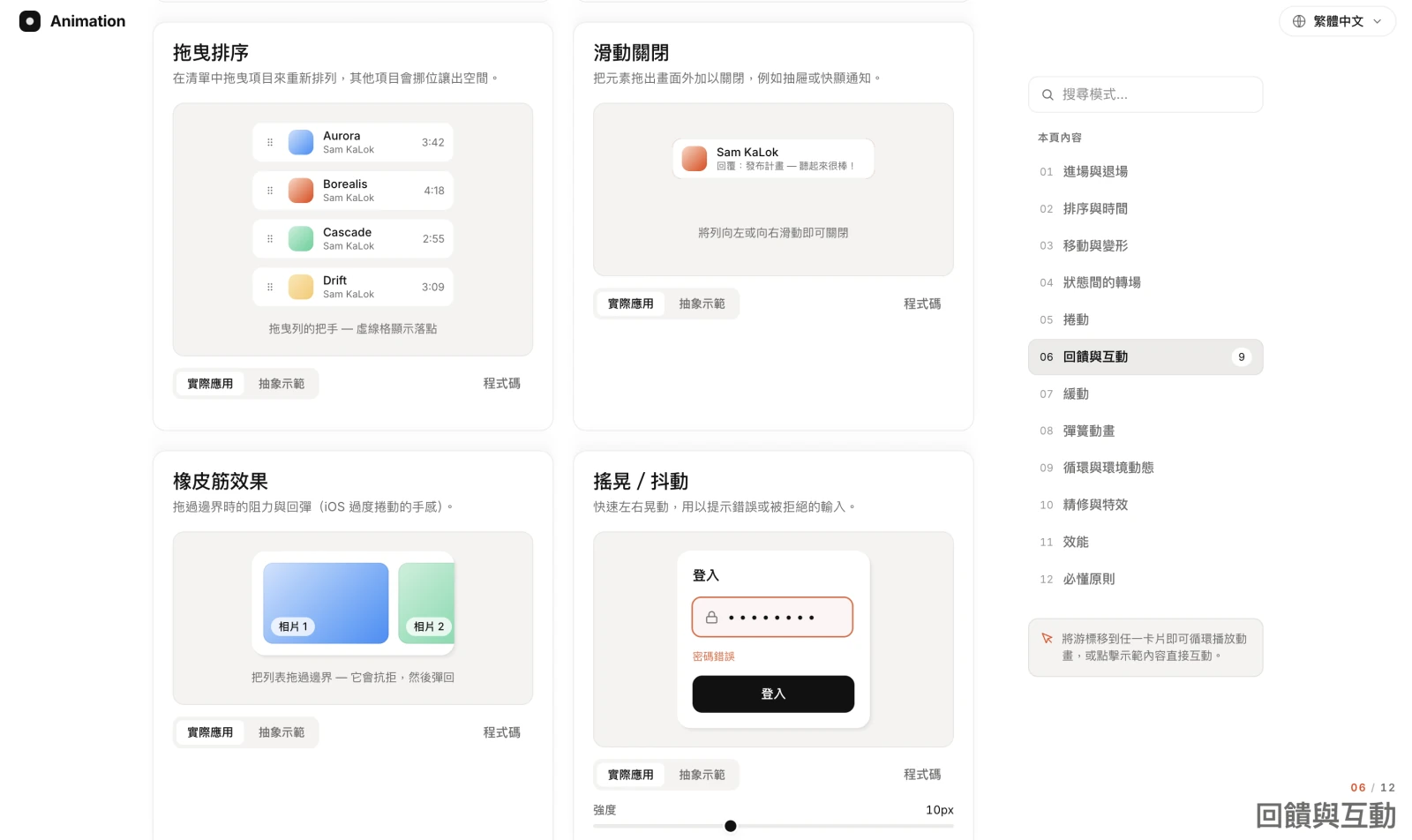
These aren’t static illustrations. In Feedback & interaction you can really drag to reorder, really swipe to dismiss, and the wrong-password shake is the exact one you meet on a login page — turning abstract motion names into muscle memory at your fingertips.
Making easing legible: a curve is worth a thousand words
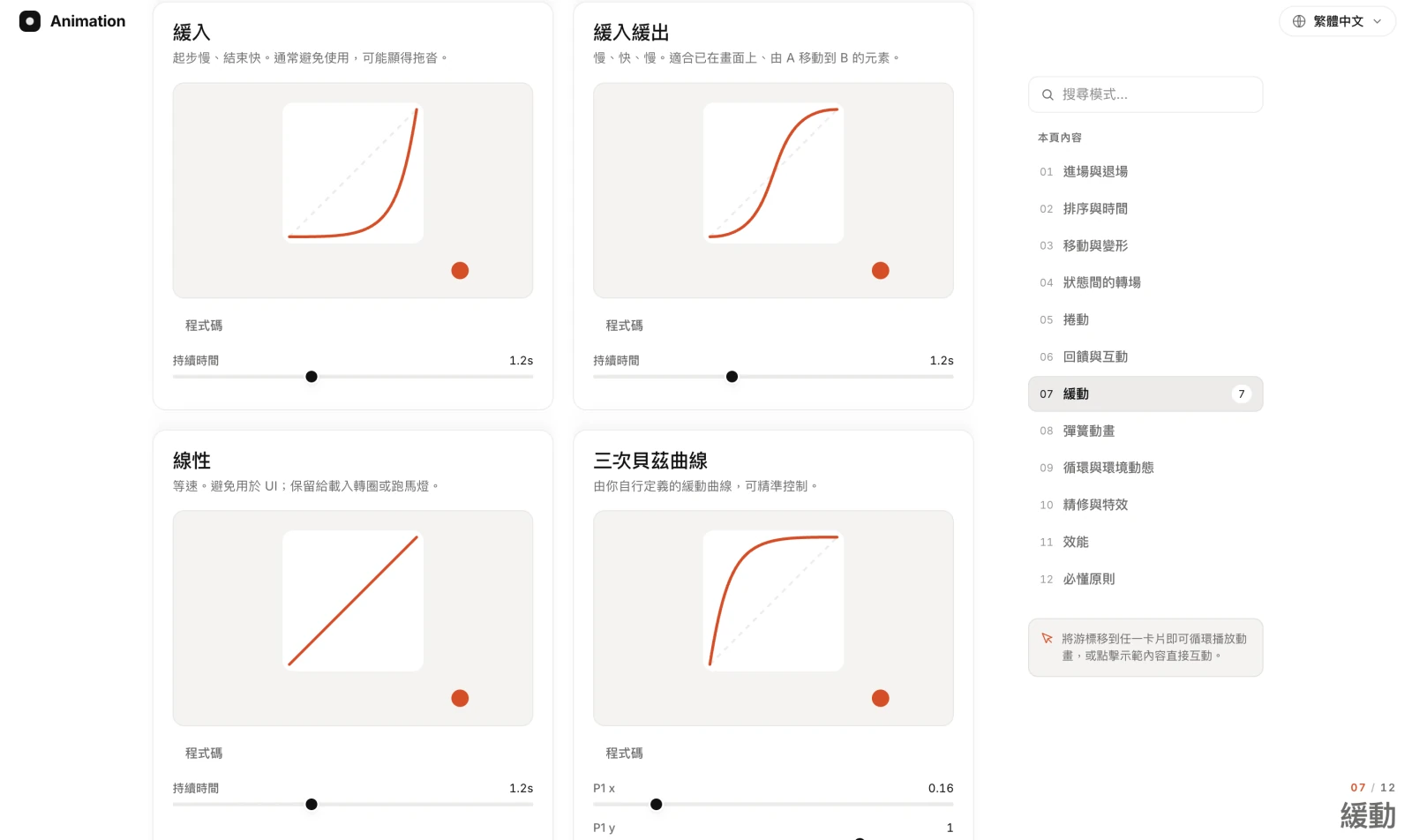
Easing is the most abstract part, yet the one that shapes perception most. Animation Vocabulary renders every easing as both a "curve" and a "moving ball": you see the ease-in curve start slow and finish fast, and watch the ball move along that curve — with a note that it’s "usually best avoided, can feel sluggish". The cubic Bézier even lets you drag the control points and feel how P1 and P2 change the whole motion’s personality in real time.
A shared language for talking to your designer and engineer
This tool has a deliberate stance: it is written for anyone who needs to make an animation clear — whether you’re the client commissioning a site and trying to convey the effect in your head, the designer handing an idea to an engineer, or the developer receiving the brief. When you can point at a demo and say "that one: 0.08s stagger, ease-out, 24px of travel", communication shifts from vague adjectives to concrete parameters everyone can see and adjust. Animation Vocabulary turns that precise language into a reference you can point to and try on the spot.
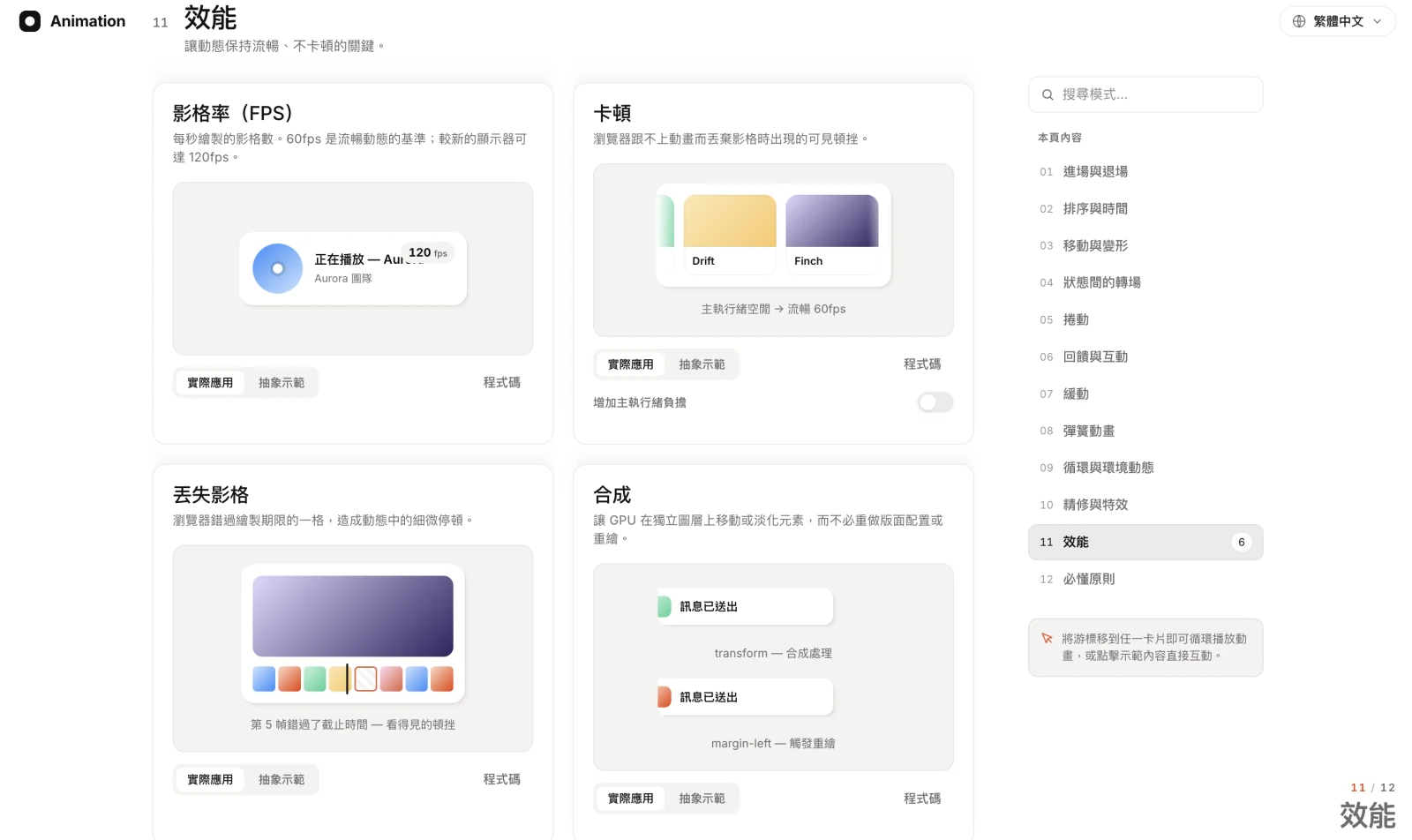
It even folds "performance" into the vocabulary: what 60fps is, what jank is, and why animating transform on the GPU compositor is far smoother than changing margin-left and triggering a repaint. Knowing these words is what lets you write genuinely smooth animation.
Engineering details: smooth, accessible, readable without JS
A site about motion has to make its own motion stand up. We held to a few engineering principles:
- Performance first: animate transform and opacity wherever possible, hand off to the GPU compositor, hold 60fps.
- Respect user preferences: follow prefers-reduced-motion and tone motion down automatically when asked.
- Progressive enhancement: core content stays readable without JavaScript; animation is the icing.
- Traditional Chinese / English bilingual: one-tap switch, with vocabulary and explanations translated in sync.
- Zero layout shift (CLS): demo blocks reserve their dimensions so nothing jumps on load.
In closing
Animation Vocabulary looks like a "motion dictionary", but underneath it’s a complete demonstration of Shepherd Tech’s motion design and front-end engineering: 91 live, interactive demos, 12 categories, bilingual, with performance and accessibility fully in place.
More importantly it solves a real problem — turning motion that "can only be sensed" into a shared language that can be spoken, tuned, and pointed at directly. That is how we build: take something complex and turn it into a tool anyone can use.
Have something you want built?
Email or use the form. For websites we'll build a free demo; for bigger builds we'll scope it with you.